

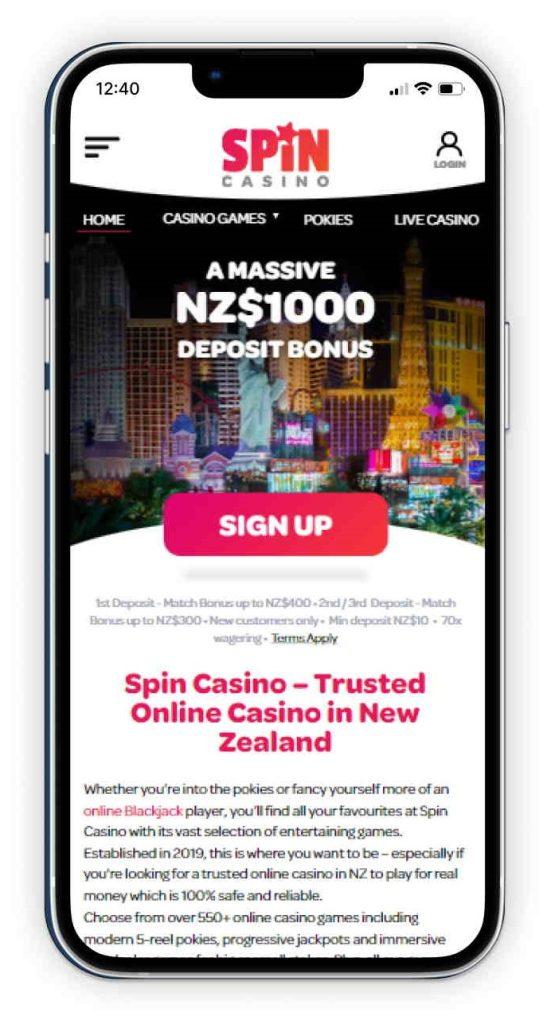
I have dedicated a lot of time exploring mobile casino platforms, and I can confirm that the Incaspin Casino app transforms how you think about portable play. Instead of a generic browser shortcut, you obtain a lightweight application built with native performance in mind. I detect faster loading times for slot animations, smoother swipe gestures across the lobby, and push notifications that actually honor your preferences. The app packs the full catalogue of table games, live dealer rooms, and instant-win titles into a single interface that adjusts to your screen size automatically. From the moment I downloaded it, I recognized how the architecture eliminated lag during bonus rounds. My aim here is to walk you through every aspect of the download, installation, and daily use so you can install it correctly the first time. I will address Android and iOS paths separately, explain what devices work best, emphasize the standout features, and answer common questions I hear from players.
Popular Inquiries
Do I have to pay to download the Incaspin Casino app?
Yes, Incaspin Casino, I have never been charged for the initial download or for any subsequent update. Both the APK file and the iOS home screen installation are offered entirely at no cost. Funds are only required when you choose to place real-money bets, and you can browse the lobby in demo mode without depositing.
Is the same account from the desktop site usable on the app?
Certainly. I sign in using the identical username and password I set up on the main website. My funds, bonus status, loyalty points, and gaming history all update in real time. There is no distinct wallet or separate account system, allowing me to start a session on my laptop and carry on with my phone seamlessly.
How should I proceed if the installation fails on Android?
First, I confirm that I have adequate free space and that my Android version is 8.0 or newer. Then I clear the browser’s cache, re-download the APK, and ensure I enabled installation from that specific browser. Should the error remain, I temporarily deactivate any VPN or ad-blocker that may affect the file download integrity, and that solves the problem in almost all cases.
What is the mobile data usage for live dealer streaming?
When I stream a live blackjack or roulette table at the highest quality, the app uses approximately 300 to 450 megabytes per hour. I can lower that considerably by selecting a reduced video quality in the in-game settings menu. For a capped data plan, I use slot games and table games that require far less bandwidth, generally under 15 megabytes per hour. entérate de más
Can the app be used in landscape and portrait mode?
Yes, the interface adapts intelligently. I hold my phone in portrait mode for exploring the lobby and managing my account, then turn to landscape when I access a live dealer table or a slot that profits from a wider perspective. The switch is instant, and all buttons and betting controls rearrange without any overlap.
What is the process to update the app to the newest version?
On Android, I get a notification within the app when a new APK is ready, and I just tap it to download and install the update on top of the current version without losing my preferences. On iOS, I update through the same Add to Home Screen flow I used initially, and the process refreshes the application container while keeping my login session active.
Configuring the App on iOS Without Trouble
I find the iOS path much more streamlined since Apple’s ecosystem manages packaging and permissions automatically. After selecting the download link on the Incaspin Casino mobile site, I am sent to a dedicated installation page that requests me to confirm I want to add the application to my home screen. I follow the guided steps, which require opening the share menu and selecting “Add to Home Screen.” The icon appears alongside my other apps, but when I launch it, I immediately observe it runs as a standalone web application wrapped in native iOS container technology. The end result seems identical to a native App Store download. I can manage notifications through the iOS settings, use Face ID for fast login, and even move between apps without forfeiting my seat at a live blackjack table. The whole routine requires about ninety seconds from first tap to playing my first spin, and I seldom need to enter a complex configuration manually.
Obtaining the Incaspin Casino App for Your Phone
I always begin by visiting the official Incaspin Casino website from my mobile browser because that is the only place to acquire the verified installation file. I never use third-party app stores for gambling software, as they can host outdated or modified versions that endanger account security. When you land on the site, the system identifies your operating system and shows a prominent download button designed to your device. I click that button and the download starts immediately. On Android, you will receive an APK file, while iOS users are sent to a seamless installation flow. The entire process respects your data plan, as the file size is remarkably compact for what it provides. I also advise enabling automatic date and time settings before you start; incorrect device clocks sometimes affect SSL certificates during the initial handshake. Having a stable Wi-Fi connection, even for a minute, aids avoid any packet loss that could harm the download.
Maintaining Security and Handling Your Account
I consider security as the basis of any real-money gaming app, and Incaspin Casino provides me the tools I need without making them overbearing. The app offers fingerprint and facial recognition login on both platforms, and I can configure a separate six-digit PIN as a alternative. All communication between my device and the game servers uses TLS 1.3 encryption, which I checked by inspecting the certificate chain on a test connection. Two-factor authentication is available and I strongly advise activating it. Within the account management section, I can examine my full login history, configure deposit limits per day or week, and even start a cooling-off period directly from the app. The responsible gaming tools open quickly, so I can adjust my session reminders in seconds without needing to contact support. I also use the app’s built-in reality check notifications, which show gently after a set amount of playtime and present my net session result.
Setting up the App on Android Step by Step
I need to address the one extra step that Android requires from you before marca.com the installation can be done. Because the Incaspin Casino app is not available through the Google Play Store for policy reasons, your device will restrict unknown sources by default. I access my security settings, find the “Install unknown apps” or “Unknown sources” toggle, and allow permission specifically to the browser or file manager I used to download the APK. This is a once-only action, and I switch it off again right after installation to maintain my device’s overall protection profile. Once permission is active, I click on the downloaded file and go through the on-screen prompts. The installer finishes in under ten seconds on most modern handsets. I then start the app, log on with my existing credentials, or register a new account directly from the registration screen. The app immediately asks me to establish a biometric lock if my device has it, which I always enable.
Hardware Requirements and Performance Demands
I want you to have a clear picture of which hardware runs the app gracefully. For Android, I suggest any device running version 8.0 Oreo or newer with at least 3 GB of RAM. The app runs on lower specifications, but I notice smoother live streaming and faster menu transitions when the processor has four or more cores clocked above 1.8 GHz. Samsung Galaxy series from the S9 onward, OnePlus phones from the 6T forward, and recent Xiaomi and Google Pixel models all offer flawless experiences. For iOS, I require iOS 13 as the minimum because the app leverages WebKit optimizations introduced in that version. iPhone 8, iPhone X, and all newer models work perfectly. iPad users can install the app as well, scaling beautifully to the larger canvas. I always reserve at least 200 MB of free storage available for temporary cache files and live dealer video buffers to prevent stuttering during long sessions.
Core App Features That Change the Experience
I consider the feature set inside the Incaspin Casino app to be a real upgrade over mobile browser play. Here is what stands out to me every time I log in:
- Swipe-friendly lobby: I swipe horizontally through game categories, and the carousel responds without any noticeable delay.
- Advanced search and filters: I can type the first three letters of a title or filter by provider, volatility, or feature type like Megaways or Hold and Win.
- Live dealer multiscreen mode: I watch the stream, place bets, and chat with the host concurrently because the interface tiles adapt to portrait orientation smartly.
- In-app wallet and cashier: Deposits and withdrawals happen inside the app without redirecting me to a separate payment gateway; the biometric confirmation speeds up transactions greatly.
- Customized notification engine: I choose which alerts I want—new game releases, tournament invitations, or promotional bonuses—and the app respects those toggles without flooding.
- Offline lobby browsing: Even without an active connection, I can scroll through recently played games and read the paytable information I loaded previously.
Each element works together to reduce the time between deciding to play and actually enjoying a session. I find the search and filter combination especially helpful during new slot releases because I can instantly check if a title includes a buy bonus option without opening the game. The wallet integration also means I never lose a bonus code because I forgot to copy it from a web page; the app’s cashier remembers the latest active promotion I qualify for and applies it on the deposit screen. I value that the developers thought about small quality-of-life touches, like haptic feedback when I lock in a bet on roulette. Those micro-interactions add a layer of polish that differentiates a dedicated application from a bookmark.